One record for everyone involved in the care.
The owner coordinates it, the sitter does it, the client follows it. Three views of the same visit, so a change made once is true for everyone.
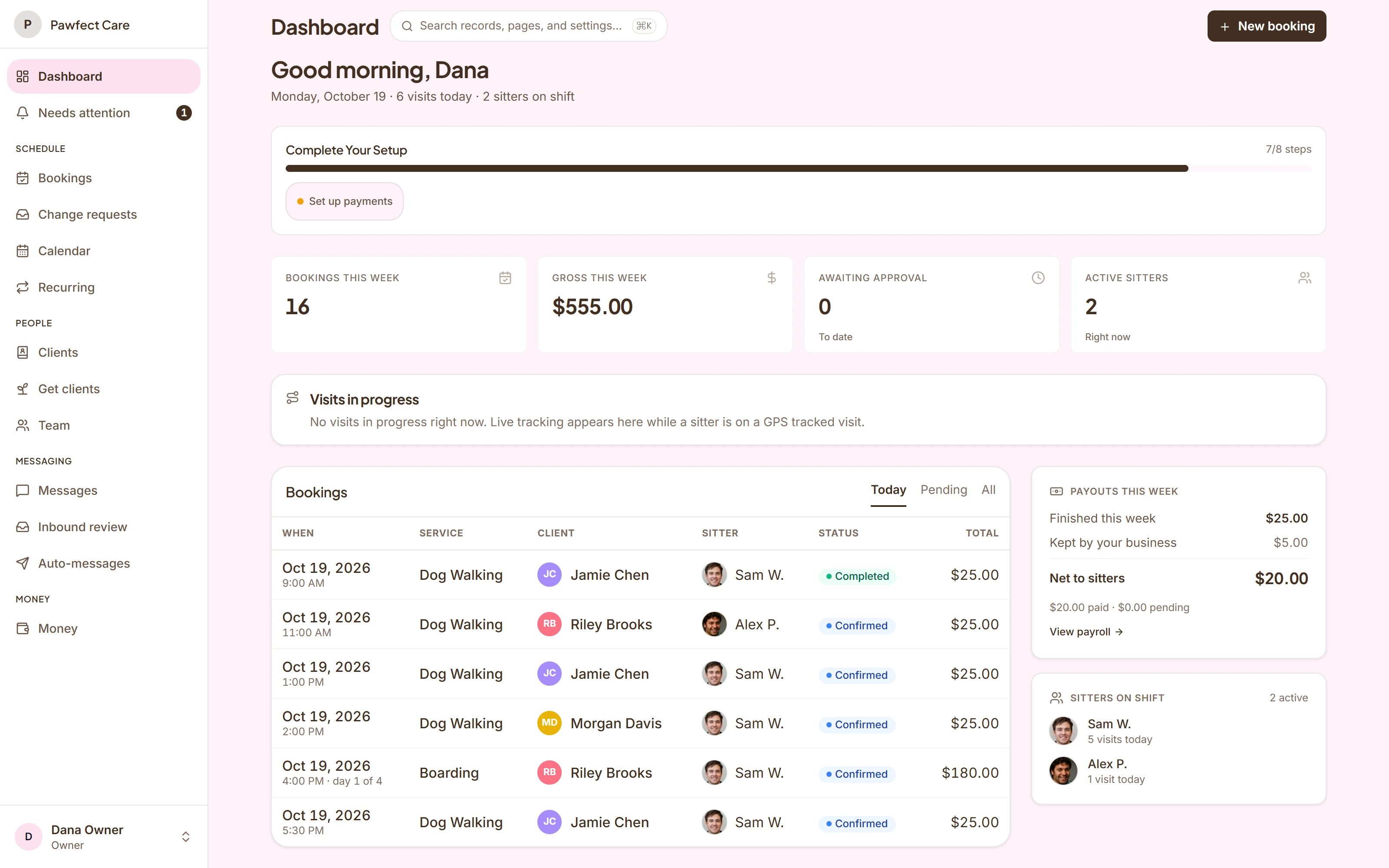
The real product, with demo names and pets.
For the owner: the questions that can change your day, answered first.
What is scheduled, who is responsible for it, and what still needs attention. The owner’s desk brings those answers together, so you can act on them instead of hunting for them.
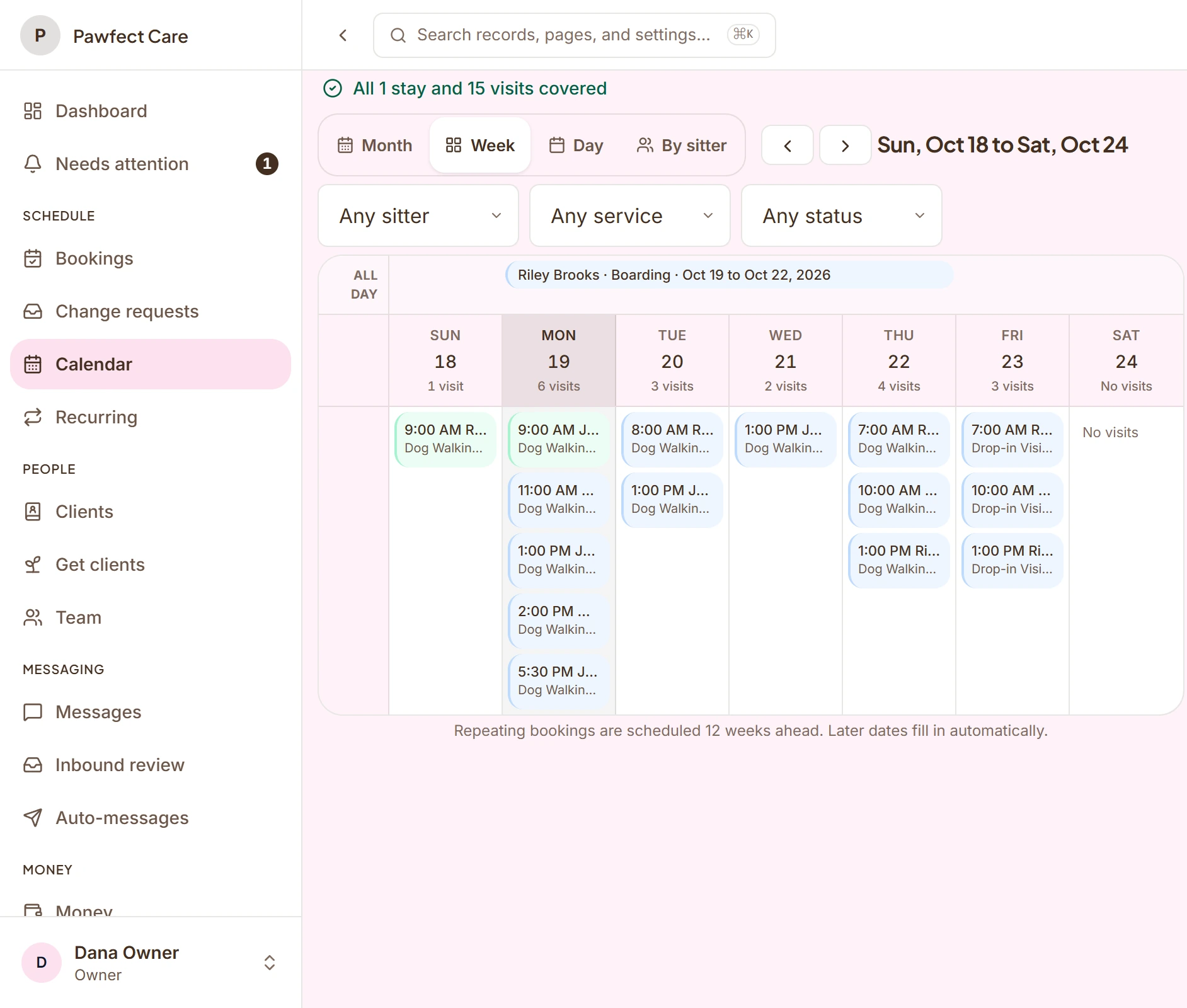
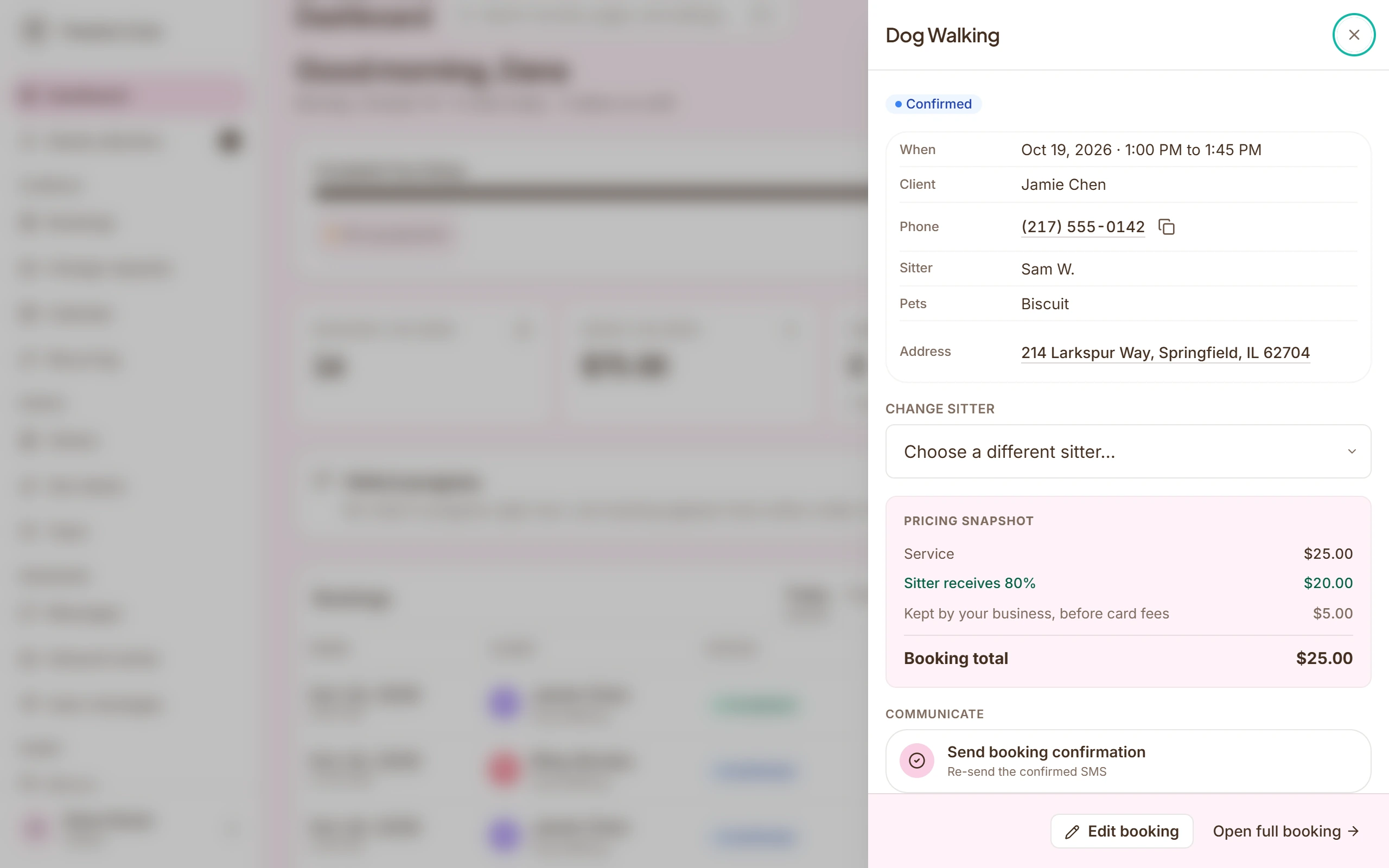
Bookings and the calendar
Month, week and day views. Every visit shows its sitter or shows that it needs one. Filters by sitter, service and status.
Weekly plans
A client who needs Monday to Friday walks gets one plan that fills the calendar ahead of time and keeps filling it.
Requests that wait for you
New bookings and weekly requests arrive with the address, the pets and the price, and nothing is promised until you approve.
The team
Availability and time off, who is eligible for which service, offers to sitters, and a check for clashes before anyone is assigned.
Messaging
Client and sitter threads in one inbox. With Business Texting, a real business number that keeps personal phones private.
Money
Invoices, saved cards and pay links through Stripe or Square, tips, and what each sitter earned from completed visits.
Automatic reminders and updates
Confirmations, reminders and visit updates that send themselves, each one visible in the record afterward.
Bring your data
Client and pet import from Time To Pet, Gingr, PetExec or a spreadsheet. Google Calendar sync for the visits.
For the sitter: the visit in front of them comes first.
Instead of a calendar, a text thread and a separate file, they get one visit with everything it needs, on the phone they already carry.
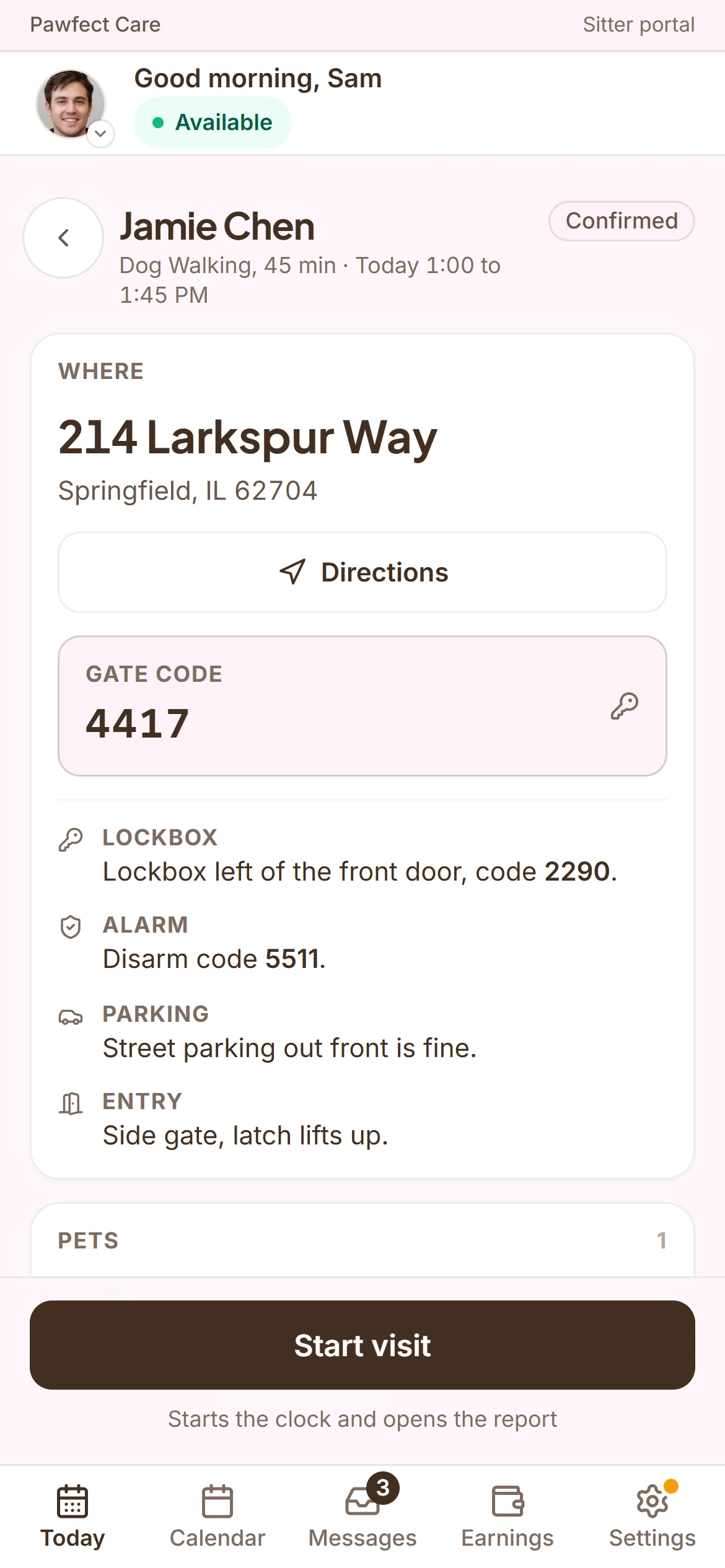
Today, in order
The visits for the day, the next one first, with the time, the pets and the address.
The visit, step by step
On my way, start, end, file report. The owner sees progress as it happens.
Home details when they are allowed
Entry instructions and codes appear only for a client you have confirmed. A booking request with just a client’s phone number is not enough.
Reports with photos
A care report with photos, filed from the phone before they leave the driveway.
GPS trails on tracked services
On walks and other tracked services, the route records itself and goes to the client with the report.
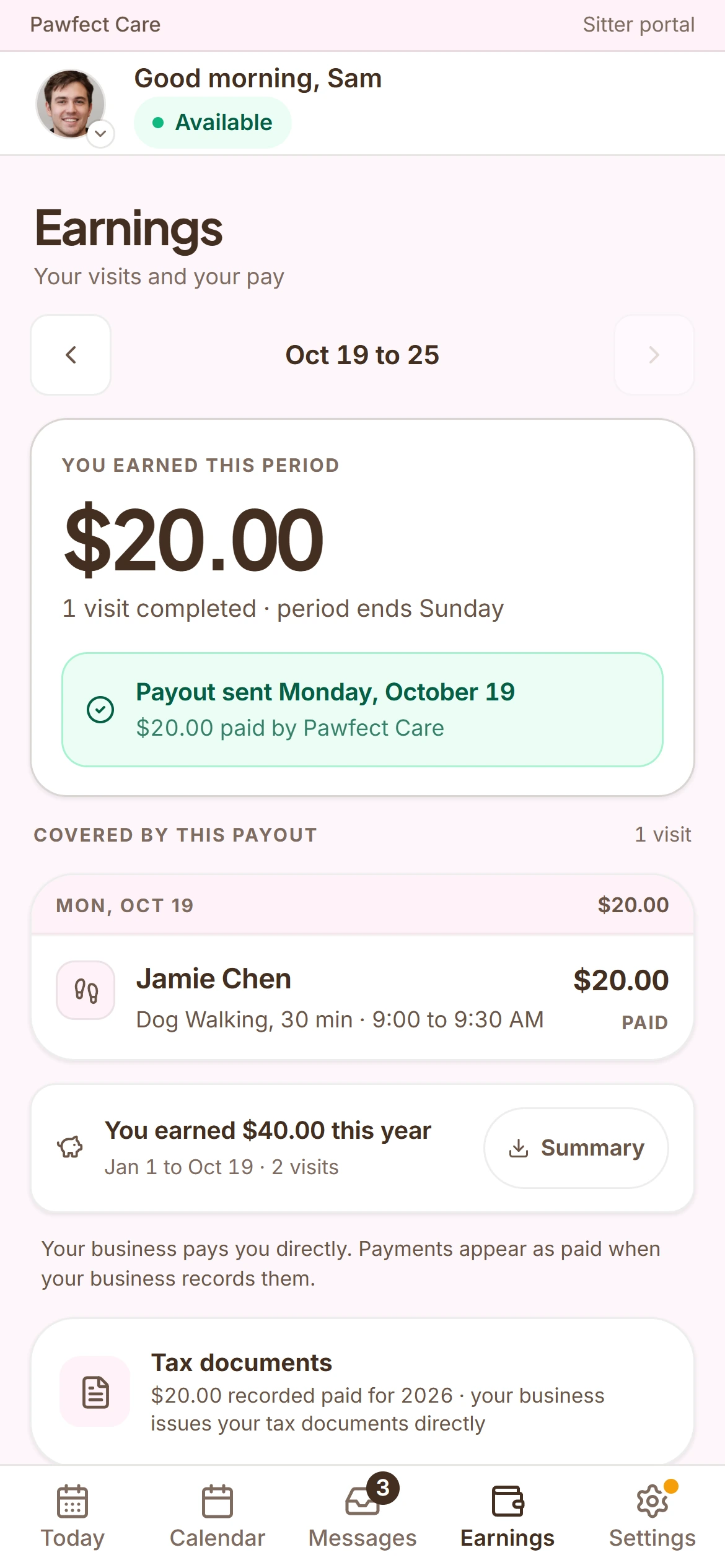
Their earnings
What they earned from completed visits, without asking the office.
Availability and time off
They mark it, and the schedule respects it.
For the client: the care, without the back office.
Upcoming visits, reports, messages and payment in one calm place. Clients can ask for a visit, and the schedule stays your call.
The next visit, up front
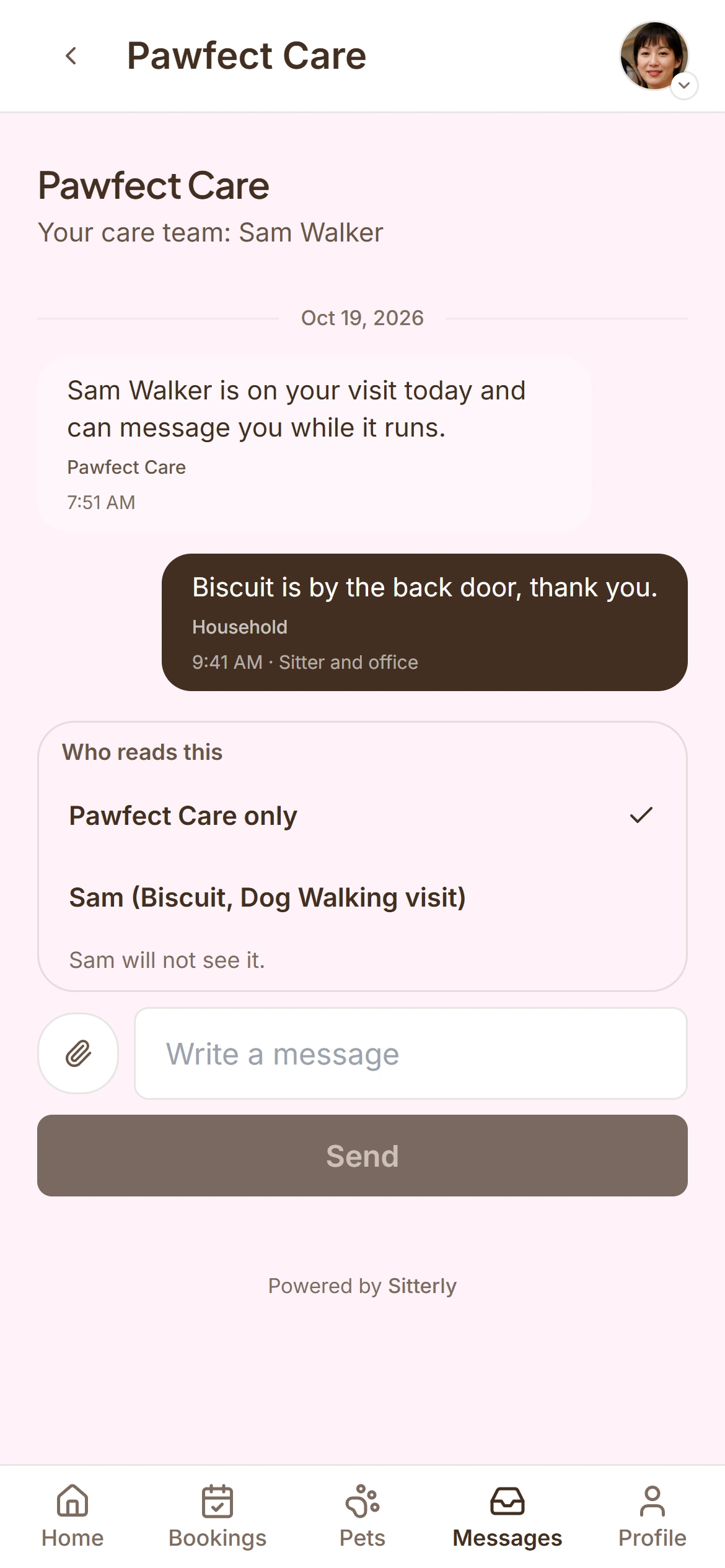
When it is, who is coming, and a message thread if something needs saying.
Booking
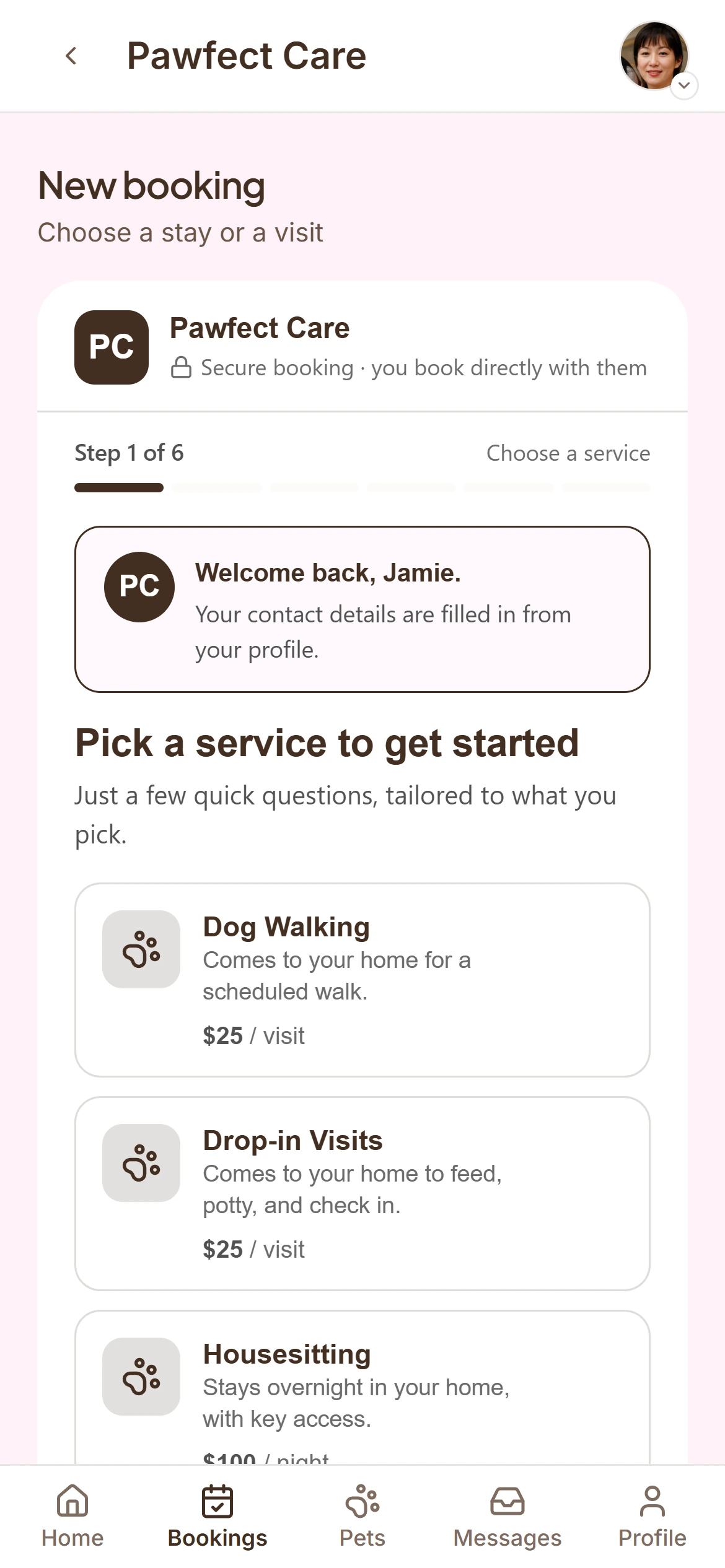
A booking form for new requests and an account that remembers their pets, their address and their card.
Reports
Every report with its photos, and the GPS trail on tracked walks, in one place.
Their pets
Profiles, feeding and medical notes, and the vet, kept where the sitter will see them.
Paying
A saved card or a pay link, invoices, and a place to tip the sitter.
Nothing to install
Everything opens from a link in a text or an email. The app is there for clients who want more.
Everything on this page is in the product today.
We run our own pet care business on Sitterly every day. When something is new, we say so.
See whether Sitterly fits the way your business works.
Start with your own clients and your own week. If it is not for you, the trial has cost you nothing, and your client list comes with you in a clean export.
- 30 days free, no card, set up in an afternoon
- Works on any phone and any computer, nothing to install
- Teams of 3 to 15 can ask about 45 days free as a design partner